I built
Cloud SURPAC.
A professional surveying platform, built from the ground up at KW Young.
Precise calculations. CAD. 3D terrain.
One connected browser workspace.
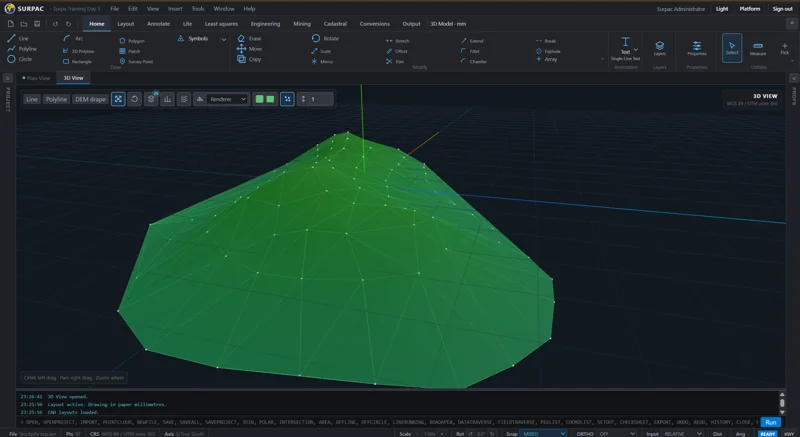
& calculation variants
mining programs
& point clouds
How I built it.
I separated the mathematics from the interface. Workflow services connect them to project storage and file adapters.
One shared workspace
Workflow services
Resolve project settings → call services → prepare results
Calculation kernel
Geometry · Geodesy
Transformations · Terrain
Project storage
PostgreSQL records
Shared files & drawings
Format adapters
Survey imports
CAD & report output
Translate the file into project data.
Format-specific adapters interpret coordinate order, units and angular conventions. The workflow validates that data against the project’s settings.
- Survey file
- Format adapter
- Workflow
- Project workspace
Run the maths. Return a result.
The workflow validates the request and resolves project settings before calling the calculation kernel. The kernel takes explicit inputs and returns results; it does not depend on the screen or database.
- Browser input
- API + workflow
- Calculation kernel
- Result to review
Show the result before saving it.
Results return to the shared browser workspace for review. Calculating a result and accepting it into the project are separate operations.
- Calculated result
- Workflow
- Coordinate table / CAD / 3D
Keep the project ready to reopen.
Structured project and workflow records go into the database. Survey files, drawings and scans live in file storage, connected to the same project.
- Accepted result
- Workflow
- Database + file storage
Turn accepted work into deliverables.
Output adapters turn accepted project data into drawings, reports and exchange files. Format-specific rules stay separate from the calculation code.
- Project results
- Workflow
- Output adapter
- Drawing / report / export
GitHub Actions → Tests & Docker image → Migrations & rolling updates → Readiness checks
Full Cloud SURPAC case studyYour problem.
My next build.
Custom applications, better workflows, and software that connects the tools you already use.
Tell me what you need More software work & services